Laptop Buying Guide 2026 – Processor, RAM, SSD Explained for Beginners Best Guide
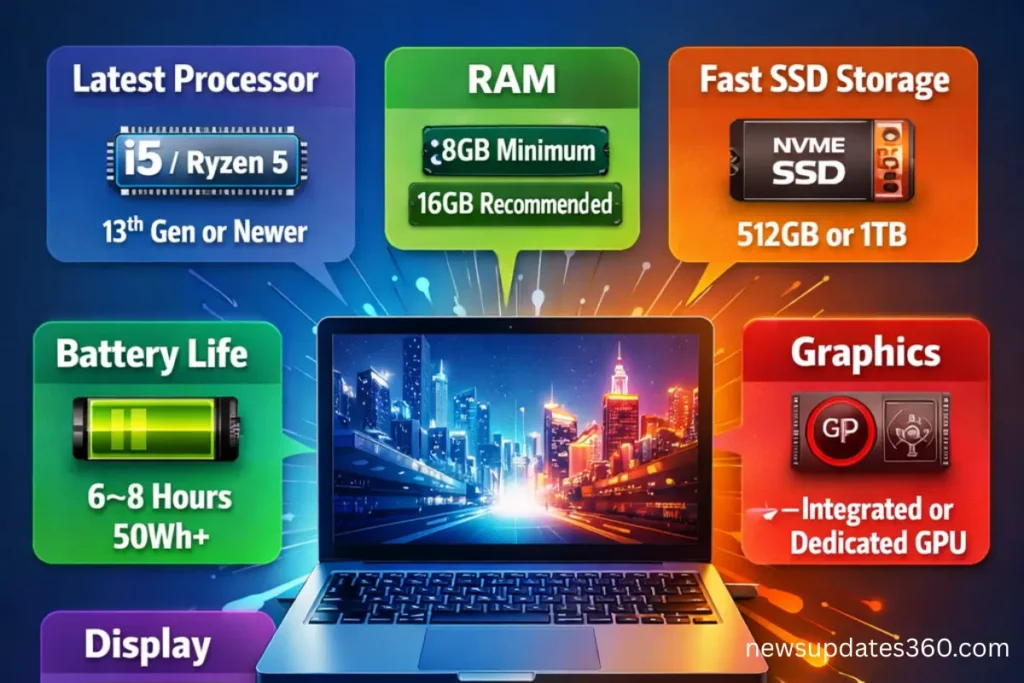
Laptop Buying Guide 2026 for beginners explains processor, RAM, SSD, graphics, display, battery, and how to choose the perfect laptop without confusion. A complete, future-ready buying guide.
Introduction
Buying a laptop in 2026 sounds simple, but once you start searching online or visiting stores, confusion begins instantly.
You hear words like:
-
Intel i5 13th Gen
-
AMD Ryzen 5 7600U
-
DDR5 RAM
-
NVMe SSD
-
Integrated vs Dedicated Graphics
For beginners, this feels overwhelming.
That’s exactly why this Laptop Buying Guide 2026 exists.
This guide is written in simple English, without technical jargon, so anyone students, office workers, beginners, or first-time buyers can confidently choose the right laptop without wasting money.
If you read this guide completely, you will:
-
Understand what actually matters
-
Avoid marketing traps
-
Buy a laptop that stays useful for years
Samsung Galaxy Book4 Buy From Amazon
Who Should Read This Laptop Buying Guide 2026?
This Laptop Buying Guide 2026 is perfect for:
-
Students buying their first laptop
-
Office employees working from home
-
Beginners learning coding or design
-
Parents buying laptops for children
-
Anyone confused by specs and numbers
You do not need any technical background to understand this guide.
Step 1: Decide Your Laptop Usage First
Before looking at brands or prices, ask yourself one simple question:
What will I use this laptop for?
Common Laptop Usage Categories
1. Students
-
Online classes
-
Assignments
-
Browsing
-
Basic coding
2. Office & Work-From-Home Users
-
Microsoft Office
-
Emails
-
Zoom / Google Meet
-
Multitasking
3. Programmers & Developers
-
Java, Python, Web Development
-
IDEs like VS Code, IntelliJ
-
Running local servers
4. Content Creators
-
Video editing
-
Photo editing
-
Graphic design
5. Gamers
-
High-end graphics
-
Smooth frame rates
-
Dedicated GPU
Every recommendation in this Laptop Buying Guide 2026 depends on your usage.
Lenovo LOQ Gaming Laptop Buy From Amazon
Step 2: Processor (CPU) – The Brain of the Laptop
The processor decides:
-
How fast your laptop works
-
How smooth multitasking feels
-
How long your laptop stays relevant
Popular Processor Brands in 2026
-
Intel
-
AMD
Intel Processors Explained Simply
-
Intel Core i3 – Entry level
-
Intel Core i5 – Best balance
-
Intel Core i7 – High performance
-
Intel Core i9 – Extreme performance
Which Intel Processor Should Beginners Choose?
-
i3 – Only for basic use
-
i5 – Best choice for most users
-
i7/i9 – For professionals
This Laptop Buying Guide 2026 recommends Intel i5 for most people.
HP Victus Gaming Laptop Buy From Amazon
AMD Ryzen Processors Explained
-
Ryzen 3 – Basic usage
-
Ryzen 5 – Best value
-
Ryzen 7 – High performance
-
Ryzen 9 – Professional grade
AMD Ryzen processors are known for:
-
Better multitasking
-
Strong performance
-
Good battery efficiency
Processor Generation – Very Important
Example:
-
Intel i5 10th Gen
-
Intel i5 13th or 14th Gen
Higher generation means:
-
Faster speed
-
Better battery life
-
Improved efficiency
ASUS Vivobook Go 14 Buy From Amazon
Laptop Buying Guide 2026 Recommendation
Avoid old generations, even if they are cheaper.
Step 3: RAM – Multitasking Power
RAM decides how many tasks your laptop can handle at the same time.
RAM Options in 2026
-
4GB – Outdated
-
8GB – Minimum
-
16GB – Ideal
-
32GB – Professional
How Much RAM Do You Really Need?
| Usage | Recommended RAM |
|---|---|
| Student | 8GB |
| Office Work | 8-16GB |
| Programming | 16GB |
| Editing | 16-32GB |
| Gaming | 16GB+ |
This Laptop Buying Guide 2026 strongly suggests:
Never buy a 4GB RAM laptop in 2026.
DDR4 vs DDR5 RAM
-
DDR4 – Older but stable
-
DDR5 – Faster, future-proof
If your budget allows, DDR5 RAM is the smarter long-term choice.
Step 4: Storage – SSD vs HDD (Most Important Upgrade)
Storage affects:
-
Boot time
-
App opening speed
-
Overall performance
HDD (Hard Disk Drive)
-
Slow
-
Noisy
-
Outdated
SSD (Solid State Drive)
-
Very fast
-
Silent
-
Essential in 2026
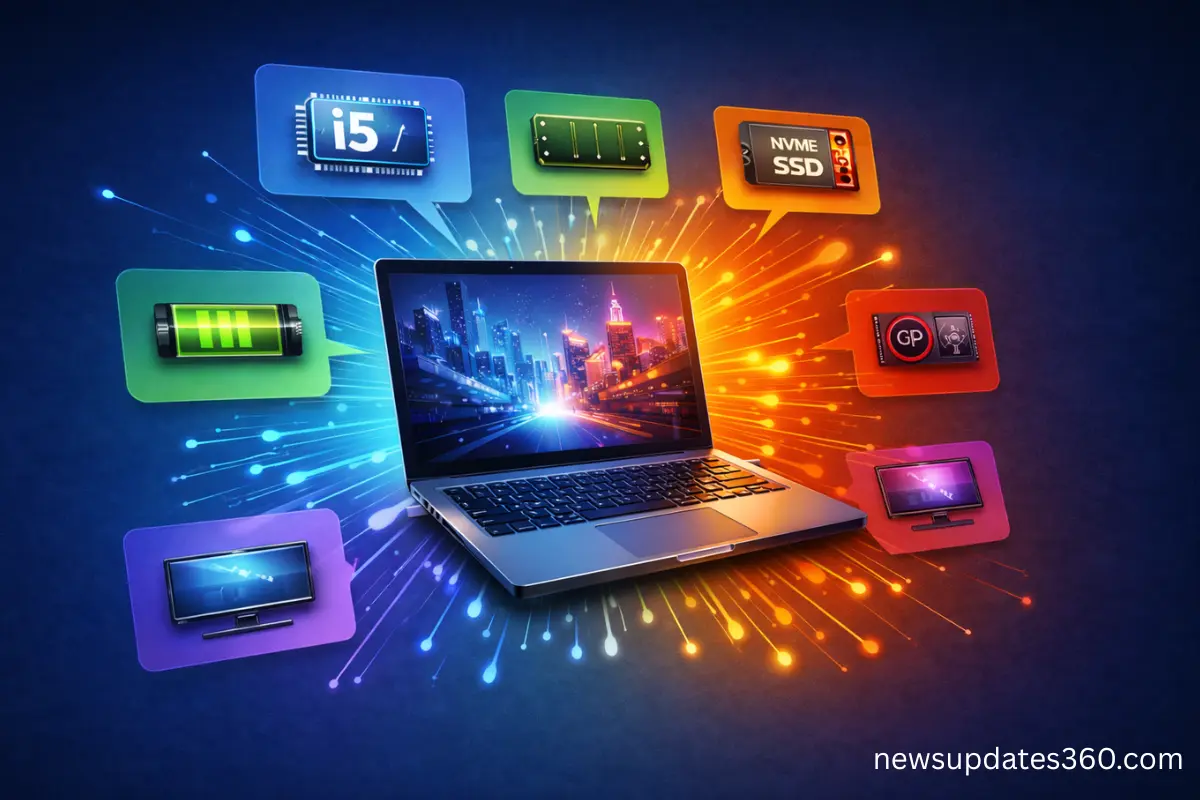
Types of SSD Explained
-
SATA SSD – Good
-
NVMe SSD – Best
Laptop Buying Guide 2026 Rule
If a laptop does not have SSD, do not buy it.
How Much SSD Storage Is Enough?
-
256GB – Basic users
-
512GB – Best balance
-
1TB – Heavy users
Step 5: Graphics Card (GPU) – Do You Need One?
Integrated Graphics
-
Students
-
Office work
-
Programming
-
Casual usage
Dedicated Graphics (NVIDIA / AMD)
-
Gaming
-
Video editing
-
3D design
If you are not gaming or editing, integrated graphics are enough.
This Laptop Buying Guide 2026 helps beginners avoid unnecessary GPU costs.
DELL 14 (2026) Buy From Amazon
Step 6: Display – Comfort for Your Eyes
Screen Size
-
14 inch – Portable
-
15.6 inch – Balanced
-
16 inch – Large workspace
Display Quality Checklist
-
Full HD (1920×1080) minimum
-
IPS panel preferred
-
Anti-glare coating
Step 7: Battery Life – Real Expectations
Manufacturers claim 10-12 hours, but reality is different.
Realistic Battery Life
-
6–8 hours is good
-
50Wh+ battery preferred
-
Fast charging is a bonus
Step 8: Build Quality & Keyboard
Often ignored, but very important:
-
Strong hinges
-
Backlit keyboard
-
Comfortable key travel
-
Solid body (metal preferred)
Cheap plastic laptops break easily.
Step 9: Ports & Connectivity
Always check:
-
USB-C
-
USB 3.0
-
HDMI
-
Headphone jack
-
Wi-Fi 6 / 6E
This Laptop Buying Guide 2026 recommends avoiding laptops with limited ports.
Step 10: Operating System
Windows
-
Best for beginners
-
Maximum software support
DOS
-
Cheaper
-
OS installation needed
Linux
-
Developers
-
Advanced users
Common Laptop Buying Mistakes to Avoid
Buying based on brand only
Choosing old processors
Falling for discounts on outdated models
Ignoring SSD
Buying 4GB RAM laptops
This Laptop Buying Guide 2026 is designed to save you from these mistakes.
Apple 2025 MacBook Air Buy From Amazon
Budget-Wise Laptop Recommendation (General Idea)
Under $500
-
Intel i3 / Ryzen 3
-
8GB RAM
-
256GB SSD
$500-$800
-
Intel i5 / Ryzen 5
-
16GB RAM
-
512GB SSD
$800+
-
Intel i7 / Ryzen 7
-
Dedicated GPU (if needed)
Future-Proof Laptop Checklist (2026)
- Latest-generation processor
- Minimum 8GB RAM (16GB preferred)
- NVMe SSD
- Full HD IPS display
- Good battery life
Final Verdict – Laptop Buying Guide 2026 Conclusion
Buying a laptop is an investment, not an expense.
If you understand:
-
Processor basics
-
RAM requirements
-
SSD importance
Then you are already smarter than most buyers.
This Laptop Buying Guide 2026 gives you clarity, confidence, and control over your purchase.
Related Updates
- Snapdragon 8 Gen 4 vs Apple A18: Performance, AI & Gaming Comparison Best Guide in 2026
- iPhone 17 vs Samsung Galaxy S26: Specs, Camera, Battery & Price Compared Best Reviews
- Powerful Lenovo Legion Gen 10 Series India Launch-Pro 7i, Pro 5i, 7i, 5i with AI Gaming Performance
- Top 5 Smartphones Launching in 2026: The Next Generation of Ultra-Flagships